StreamShark’s Slack Integration: Streamline Communication and Stay Informed

Say goodbye to juggling tabs and scattered conversations – StreamShark supercharges your live streaming workflow with Slack! This powerful integration seamlessly connects your live stream’s chat with your organization’s Slack, boosting efficiency and keeping everyone in the loop.
What are the benefits of this integration?
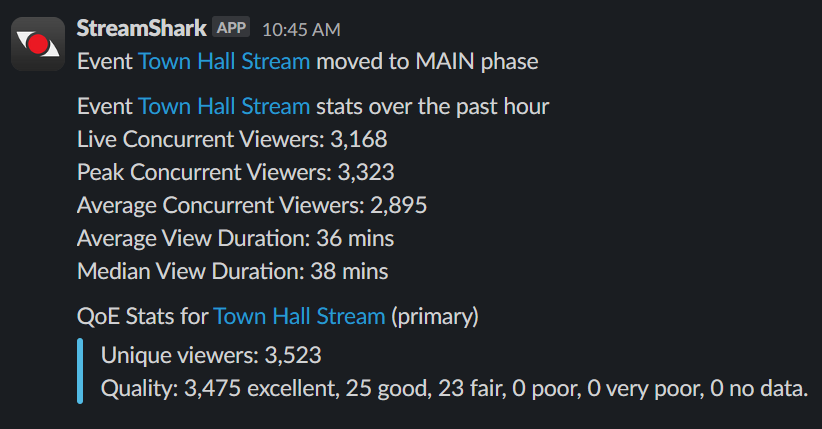
- Real-time notifications: Ditch email chains and missed updates. Get instant alerts in your designated Slack channel for key events like stream start/end and viewer numbers.
- Quality of Experience reports: Stay informed with QoE reports directly within your Slack notifications, thanks to our seamless Peer-to-Peer assisted streaming integration with our technical partner Hive Streaming.
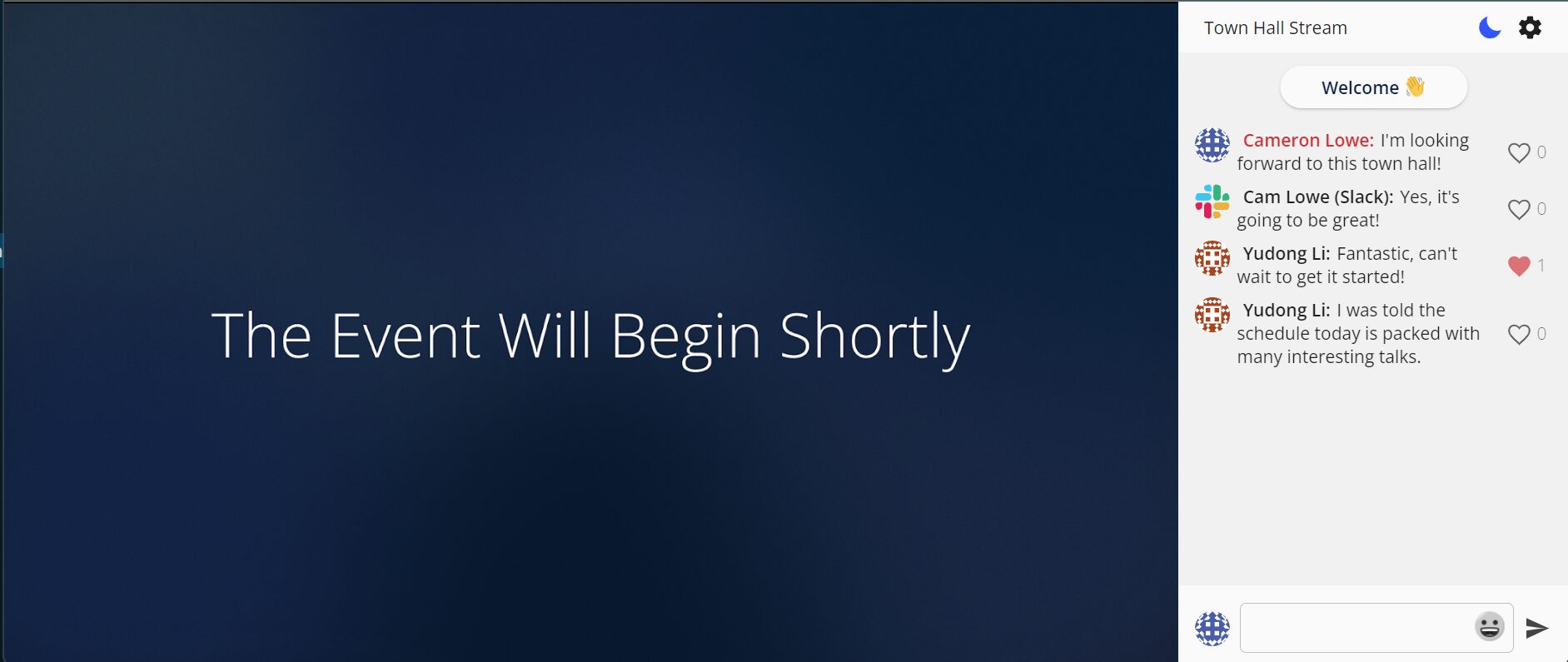
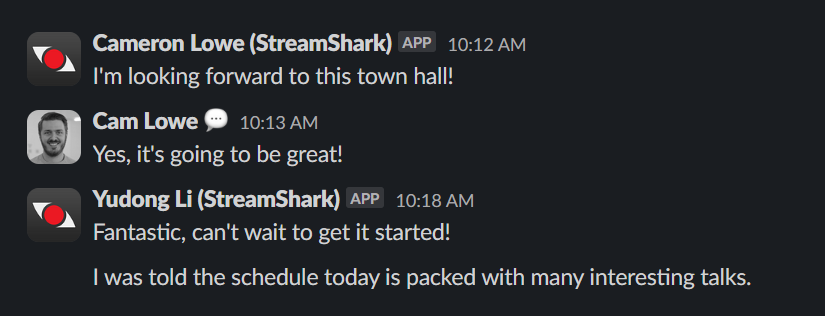
- Two-way chat sync: No more switching between platforms. Chat with viewers directly in Slack and have their messages pop up in StreamShark’s live chat panel, fostering real-time engagement.
- Centralized communication: Keep everyone aligned and informed, discuss Q&As, and provide support all within the familiar environment of Slack.
- Boosted team coordination: Collaborate more seamlessly. Tag teammates for immediate assistance, involve internal teams in live events, and maintain a single source of truth for all stream-related communication.
- Enhanced audience engagement: React to viewer comments in real-time, answer questions on the fly, and build a stronger community without leaving Slack.
Getting started is easy:
- In StreamShark, navigate to “Customization” > “Slack Integration” and connect your workspace.
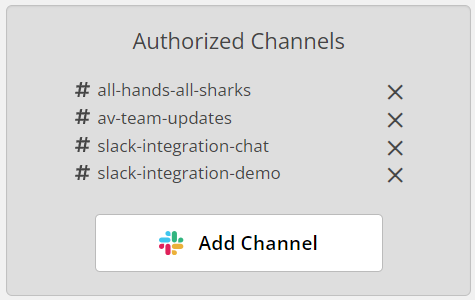
- Choose your notification channels (optional): Select the Slack channels you want to receive alerts in for specific events.
- Enable chat sync (optional): Add the StreamShark app to your desired Slack channel and enjoy seamless two-way chat flow.
The benefits go beyond:
- Improved transparency: Foster open communication and collaboration, ensuring everyone is on the same page about your streams.
- Enhanced audience interaction: Keep your viewers engaged and build stronger relationships by making communication effortless.
- Data-driven decision making: Leverage Slack’s analytics and StreamShark’s insights to track engagement, measure campaign success, and refine your streaming strategy.
StreamShark and Slack are the perfect duo for any organization looking to optimize their live streaming workflow and increase engagement with their audience. Upgrade your communication today and see the difference!
Currently this feature is enabled on a per-account basis, so just reach out to [email protected] and we can enable it for your account.
Detailed support articles are available for Slack notification setup and Slack two-way sync setup.
More from the blog
Live stream analytics for corporate communications, what to measure and how to check a platform can measure it
The five questions a communications team needs answered after a town hall, which metrics matter during the event and after it, and how to test a...

Why corporate live streams fail at scale, and how to design global event delivery that holds
Corporate live streams fail at one point in the path nobody planned to lose. Where those points are, and how enterprise teams design them out with...
Introducing Multi-DRM for VOD: Studio-Grade Protection Across Every StreamShark Endpoint
Widevine, FairPlay and PlayReady now protect your video library as well as your live events. With this release, every media endpoint on StreamShark carries the same...
See it on your own content
Book a walkthrough of StreamShark with your own video, your own encoder and the viewers you need to reach.