Remote hardware encoder management for live streaming
Configure, start and stop AWS Elemental and Epiphan Video encoders from the StreamShark event they feed. Onboard each encoder once, then run it from anywhere, including from behind a strict corporate firewall.
Trusted by the world's most demanding enterprises


How remote encoder management works
Encoder management lets an operator configure, start and stop a hardware encoder from the StreamShark event it feeds, without standing next to the encoder or logging in to its own web interface. Each encoder is onboarded once, and after that it can be linked to any event.
StreamShark is a live streaming platform with remote control built in for AWS Elemental hardware encoders and cloud instances, and the Epiphan Pearl family (Pearl, Pearl-2, Pearl Mini and Pearl Nano). When an encoder is linked to an event, StreamShark sends it the RTMP(S)/SRT URL, stream name, authentication details and encoder settings, so nobody copies stream keys between systems by hand. Encoders inside an intranet or behind a strict firewall poll StreamShark for their commands, which keeps a conference room unit, a lecture hall encoder or a kit out in the field reachable from the portal. StreamShark supports all current models and firmware versions from AWS Elemental and Epiphan.
Encoder management starts on the Business plan, which includes one managed encoder, and Enterprise plans set the number of encoders to match your setup. Plan details are on the pricing page. Any other encoder, such as vMix, Wirecast or OBS, can still stream to StreamShark over RTMP(S)/SRT with a manual setup.
Configure and control encoders from anywhere
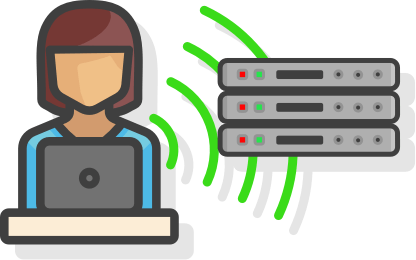
Onboard an encoder into StreamShark once, then configure and control it from your StreamShark events wherever it sits. Encoders on the public internet take commands pushed from StreamShark. Encoders inside an intranet or behind a strict firewall poll StreamShark for commands instead, through the on-device agent in StreamShark's custom Pearl firmware or a StreamShark agent for AWS Elemental.
Cut the setup time for every event
Setting up an encoder by hand means copying the RTMP(S)/SRT URL, stream name and authentication details from one system to another before every event, and a mistyped stream key can cost the start of a broadcast.
Choose Managed Encoder as the video source instead, and StreamShark applies all of it, along with the encoder settings, when the event is created. With AWS Elemental, a matching event appears on the encoder itself with everything already filled in, so getting ready to go live comes down to pressing start.
Start, stop and monitor from the event workflow
Each event's workflow screen lists its linked encoders with start and stop controls. Start the encoder, check the contribution feed in the preview and the health of the incoming stream on the primary and backup ingest, then switch the event from pre-event to live when you're ready. Every event can have a primary and a backup encoder.

Every encoder and its linked event in one list
The Manage Encoders page shows each onboarded encoder with its name, description and tags, and which event it's linked to. Search the list as your encoder count grows and download AWS Elemental logs straight from the portal. On Enterprise plans, changes to hardware encoders are also recorded in the account's audit logs.
Running encoders across several sites? We'll show you how to run them all from StreamShark.
Book a DemoSee encoder management with your own encoders
Book a walkthrough of onboarding an encoder and running a live event from it.
Encoder management questions we get asked
AWS Elemental hardware encoders and cloud instances, and the Epiphan Pearl family (Pearl, Pearl-2, Pearl Mini and Pearl Nano). StreamShark supports all current models and firmware versions from AWS Elemental and Epiphan. Other encoders, such as vMix, Wirecast and OBS, stream to StreamShark over RTMP(S)/SRT with a manual setup.
Yes. An encoder behind a strict firewall polls StreamShark for commands rather than waiting to receive them, so it can be controlled across intranets as well as the internet. Epiphan Pearl does this through an agent built into StreamShark's custom firmware, and AWS Elemental through a custom StreamShark agent installed with help from the support team.
When an encoder is linked to an event, StreamShark applies the RTMP(S)/SRT URL, stream name, authentication details and encoder settings. With AWS Elemental, StreamShark also creates a matching event on the encoder.
Yes. Each event can have a primary and a backup managed encoder, and each encoder can send to a primary and a backup ingest, so a failed encoder or ingest doesn't take the stream off air.
Not with Epiphan Pearl. With StreamShark's custom firmware installed, a Pearl encoder connects to StreamShark whenever it has internet access, wherever it is, so encoders in mobile kits or at remote locations don't need their IP addresses tracked. AWS Elemental encoders on the public internet are reached at their host address, or poll StreamShark from behind a firewall.
Encoder management isn't part of the Standard or Team plans. The Business plan includes one managed encoder, and Enterprise plans set the number of encoders to match your setup.