VOD2Live simulated live streaming from pre-recorded video
Schedule finished videos to play as a live stream, at a set start time, on a recurring schedule or on a 24/7 loop. The production work is done before the event, and viewers still watch it live.
Trusted by the world's most demanding enterprises


How simulated live streaming works
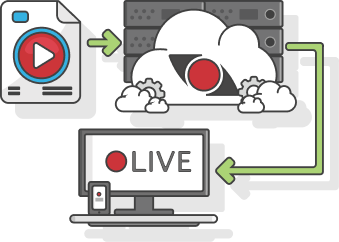
Simulated live streaming plays pre-recorded video to viewers as a live broadcast at a set time. The audience watches together as it airs, the same as any live event, while the production team finished the work days earlier. StreamShark calls this VOD2Live, and it runs on the Live Scheduler in the StreamShark portal.
StreamShark is an enterprise video platform whose Live Scheduler turns a playlist of on-demand videos into a live stream. A schedule can start at a set time, repeat on chosen days, run on a 24/7 loop or be started by hand, and it plays in the StreamShark player and can multistream to social platforms at the same time. Teams use it for product launches, annual summits, conferences, recurring training and the looping feeds on lobby screens and information kiosks. One enterprise customer has run up to 15 concurrent live streams from the Live Scheduler, each carrying 4K video.
The Live Scheduler is available on Enterprise plans. Its videos come from your video on demand library, and a schedule can be protected like any other stream, with single sign-on or with Hollywood-grade DRM, which is available as an add-on.
Play pre-recorded video as a live stream
Upload finished videos to StreamShark ahead of time, add them to a Live Schedule in the order they should play, and StreamShark streams the lineup as one continuous live broadcast. Videos can be reordered by dragging, and the same video can appear more than once. Each schedule runs in HD or 4K.
Take the risk out of event day
Not every segment has to happen in real time. Record the keynote or the product demo beforehand and upload it days in advance, so the video is processed and ready before the event starts. Files over 5GB go through your file bucket. On the day there's no camera feed to manage and no presenter to cue, only a schedule that starts on time.

Premiere the same content in every region
Instead of running a town hall three times in one day, give a schedule several start times so it premieres at a sensible hour for each region. Recurring schedules repeat over a date range on the days you choose, such as a compliance video every Monday and Wednesday for four weeks. A schedule can also loop 24/7, or be started at any time with Go Live Now.

Captions in your viewers' languages
Add WebVTT captions to the videos in a schedule, in up to six languages per video, or have StreamShark generate captions automatically. Viewers pick their language in the player. Any language can be captioned, including Chinese, Japanese, Korean, Arabic and Hindi.

Stream the schedule to social platforms too
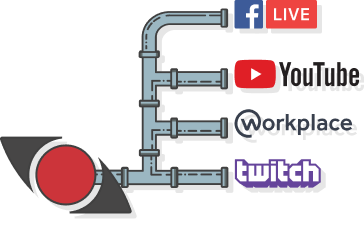
A Live Schedule plays in your own StreamShark player and can stream to social platforms such as YouTube, Facebook and LinkedIn at the same time, so an internal premiere and a public one can run from the same lineup.
Planning a global premiere? We'll show you how to schedule it once for every region.
Book a DemoSee VOD2Live with your own videos
Book a walkthrough of building a Live Schedule and premiering it across time zones.
Simulated live streaming questions we get asked
Simulated live streaming plays a pre-recorded video, or a playlist of them, to viewers as a live broadcast at a scheduled time. Viewers watch it as it airs, the same as a live event, but nothing has to be produced in real time. On StreamShark it's called VOD2Live and runs on the Live Scheduler.
VOD2Live is StreamShark's simulated live streaming. The Live Scheduler is the tool in the StreamShark portal where you build a schedule, add the videos it plays and choose when it goes live.
Yes. A schedule can run once at one or more start times on the same day, repeat over a date range of up to 30 days on the days of the week you choose, or loop 24/7 until it's stopped. Any schedule can also be started early with Go Live Now and stopped at any time.
Schedules run in HD or 4K. Videos are encoded with a Live Scheduler profile when they're uploaded, and files larger than 5GB are uploaded through your file bucket rather than directly from your computer.
Yes. Each video in a schedule can carry WebVTT captions in up to six languages, or captions generated automatically by StreamShark, and viewers choose their language in the player. Any language can be captioned, including Chinese, Japanese, Korean, Arabic and Hindi.
The Live Scheduler requires an Enterprise plan and isn't included in the Standard, Team or Business plans.