When Video Isn’t Enough, Bring the Data Into the Stream
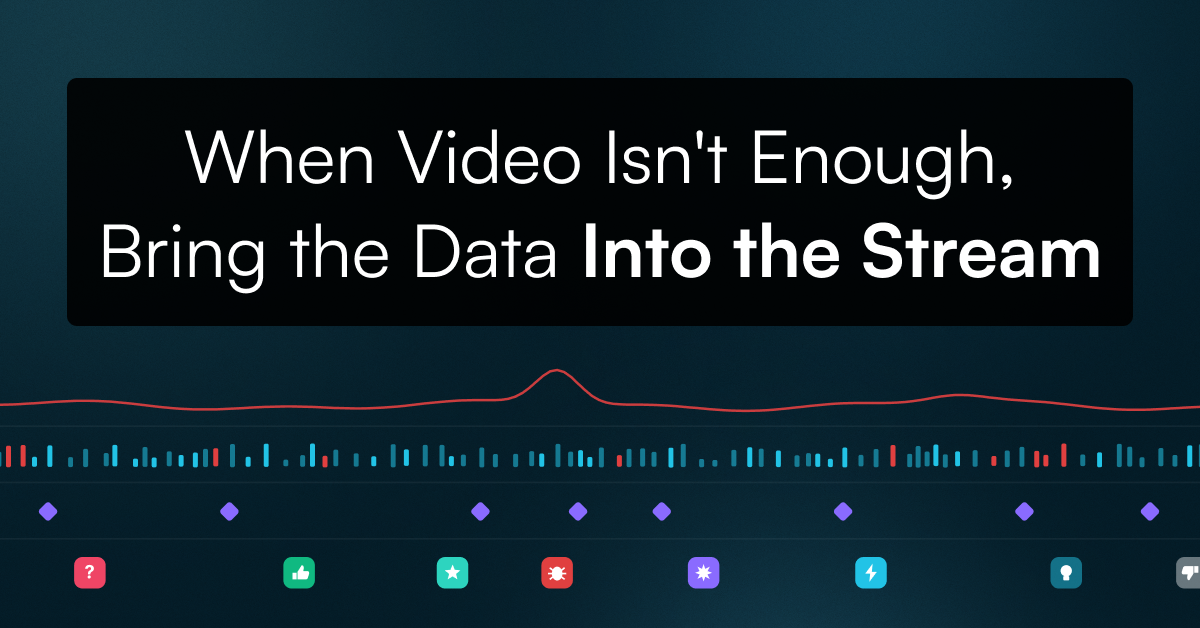
Watch a live football match and you can see what is happening on the pitch. But there is a lot more information being generated at the same time. Player positions, speed, live scores, match time and other statistics can all change from one second to the next.
The same thing happens in other streaming environments. A game studio might be capturing controller inputs and game events alongside gameplay. A training session might generate heart rate and movement data. An industrial camera could be recording while sensors track equipment status.
In each case, the video is only part of the information being generated. The challenge is making that information work alongside the video, both while the event is happening and when you come back to the recording later.
Keep the data and video on the same timeline
Consider a football match where a player makes a run down the wing. At a particular moment, their GPS position, speed and team statistics are recorded alongside the live video.
If those signals are frame-synced with the stream, you can connect the data to the exact moment it relates to in the recording. Instead of treating the video and data as separate sources, you can use them together to understand what happened.
In practice that looks like a marker on the playback timeline. Someone flags a moment during the session, and later an analyst clicks that marker and lands on the exact frame, with the speed, position or heart rate reading from that instant sitting right next to the video. No scrubbing, no cross-referencing a spreadsheet against a timestamp.
That matters during the live event, where additional data can add context to the viewing experience. It matters just as much afterwards, when the same information helps teams find key moments, review incidents or analyze a session without manually searching through hours of footage.
Beyond gaming
Gaming is one obvious application. During a playtest, a studio might capture gameplay alongside controller inputs, game events, player data and other telemetry. Those signals help teams identify and revisit moments that would otherwise be difficult to find.
The same approach works anywhere video is being generated alongside real-time data.
Sports
For a sports audience, the data can become part of the broadcast itself. Picture a top-down view of the pitch sitting over the corner of the video player, with every player shown as a moving dot that tracks their real position on the field as the match plays out. Tap a dot and you see that player’s current speed, distance covered and heart rate, updating live.
Because the positions and biometrics arrive frame-synced with the video, the dots move when the players move, rather than lagging behind the picture. The same feed that drives the overlay is recorded with the match, so the replay carries it too.
What the viewer sees is something we would work through with you. StreamShark carries the GPS, biometric and statistical data in the stream, and how it appears in the player, whether that is a live pitch map, a stats panel or a simple score and clock, is something we can build with your production team.
Training and performance
Training sessions generate heart rate, movement, speed and other performance data alongside the video. Keeping those signals connected to the recording makes it easier to understand what was happening at a particular point in the session.
Research and testing
Researchers often end up with hours of footage and no easy way to find the moments that matter. Recording participant responses, sensor readings and event markers alongside the video gives them reference points to jump to, which simplifies review and analysis later.
Industrial and technical applications
In industrial environments, video might sit alongside machine telemetry, equipment status, sensor readings or alerts. Connecting those signals to the recording supports monitoring, troubleshooting and incident review.
Watching from more than one angle
Most live events have more than one camera. A match has the broadcast feed, a wide shot and isolated cameras on key players. A concert has the stage, the crowd and the wings.
MultiView in StreamShark puts several players side by side on a single screen, live or recorded, so you can watch the wide shot and the close-up at the same time rather than choosing between them. When those feeds are frame-synced, each player is showing the same instant from a different position, and the moment something happens you can see it from every angle without switching anything.
The metadata rides along with that shared clock. A marker, a score change or a spike in a sensor reading points to the same moment on every feed, so a viewer can flick between angles while the pitch map and stats stay put, and someone reviewing the recording can jump to a flagged moment and see it from every camera at once.
Bring the data your application already generates
Every organization has different information to work with. A sports team may care about GPS and player statistics. A game studio may need telemetry and controller inputs. A research team may have sensor readings or participant markers.
Support for custom metadata means those different use cases do not need to fit into the same predefined model. Organizations can take the data their own applications and systems are already generating and associate it with the stream.
StreamShark can carry custom metadata alongside live video. Data can be sent into OBS through a StreamShark plugin and travels inside the stream, so it stays frame-synced with the video in both the live feed and the recording. When the session ends, the recording lands in your VOD library with that metadata still attached, so markers and telemetry are there on playback rather than sitting in a separate file you have to line up afterwards.
Learn more about StreamShark’s game studio streaming workflow.
There is no fixed list of what the metadata has to be. We do not decide which signals matter in a sports broadcast, a research lab or a factory floor, our customers do. If your system is already producing the data, we work with you on how to get it into the stream. In practice that usually starts with a conversation about what you are capturing today and what you would want to see alongside the video, and we build from there.
A more useful record of the event
For many live applications, the most valuable thing to keep after an event is not just the video. It is the video together with the information that explains what was happening at the time.
When those signals stay connected, recorded video becomes easier to review, analyze and work with long after the live stream has ended.
Bring your data into the stream
Custom stream metadata is available across gaming, sports, research, training and industrial workflows, and the data you bring is up to you.
More from the blog
Introducing Multi-DRM for VOD: Studio-Grade Protection Across Every StreamShark Endpoint
Widevine, FairPlay and PlayReady now protect your video library as well as your live events. With this release, every media endpoint on StreamShark carries the same...
Audit Logs: Know What Changed, and Who Changed It
Audit Logs give you a searchable, filterable record of activity across your StreamShark account, in the portal and via the API. Available now for enterprise customers....
A Newer, Faster, and Flexible VOD Platform
A modern rework of how you manage your video-on-demand content in StreamShark, rolling out now. We’re pleased to announce the introduction of a modern, from-scratch rebuild...
See it on your own content
Book a walkthrough of StreamShark with your own video, your own encoder and the viewers you need to reach.